FEATURED
Minecraft Thumbnail Magic: Crafting Click-Worthy CreationsMinecraft Thumbnail Magic: Crafting Click-Worthy Creations
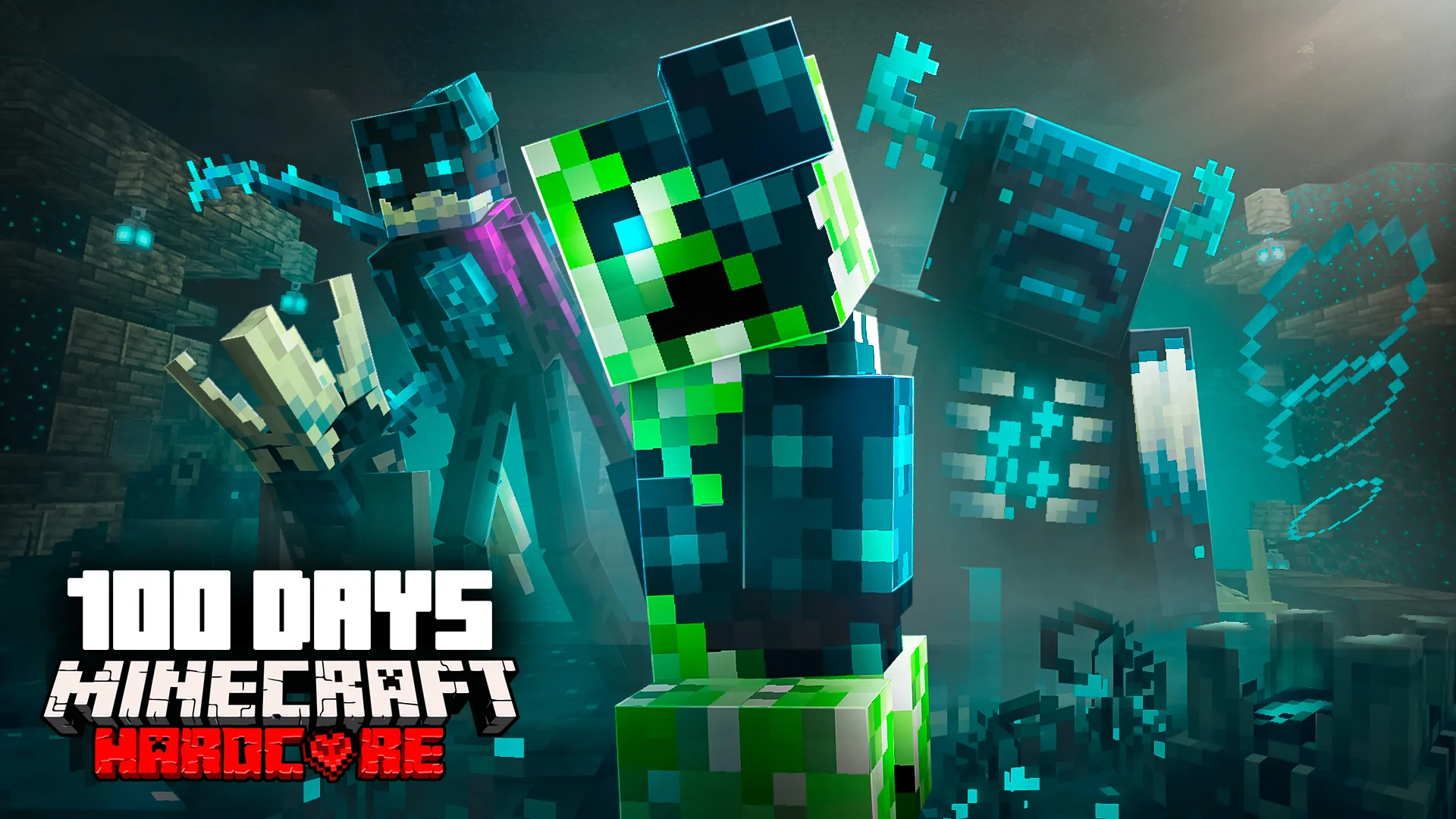
In the competitive world of Minecraft content creation, your thumbnail is the first impression your video makes. With over 140 million active players monthly as of 2023, standing out requires more than just great gameplay—it demands visually compelling thumbnails that capture attention and drive clicks. Let’s explore how to create stunning Minecraft thumbnails, with a focus on MyShell ThumbMaker, a powerful AI-driven tool designed for creators.
Why Thumbnails Are Essential
Thumbnails are the visual gateway to your content. A well-crafted thumbnail grabs attention, sparks curiosity, and sets expectations for your video. For Minecraft creators, this might mean showcasing epic builds, thrilling adventures, or creative tutorials. The key is understanding your audience:
Younger Gamers: Bright colors and dynamic action scenes resonate with this group.
Older Players: Subtle, artistic designs may appeal more to mature audiences.
No matter your target demographic, the goal is to create a thumbnail that tells a story and promises value.
Tips for Designing Minecraft Thumbnails
1. Tell a Story
Your thumbnail should visually communicate the essence of your video:
Highlight an epic build with dramatic angles and lighting.
Depict a perilous adventure with characters facing mobs or exploring treacherous terrain.
Use before-and-after comparisons for transformation-focused videos.
2. Typography Matters
Typography plays a critical role in making text stand out:
Use bold fonts like the official Minecraft font or similar pixelated styles.
Ensure strong contrast between text and background for readability.
3. Leverage Color Psychology
Colors can evoke emotions and set expectations:
Warm tones (reds/oranges) convey energy and excitement—ideal for action-packed content.
Cool tones (blues/greens) suggest calmness—perfect for building tutorials or exploration videos.
Maintain contrast to ensure key elements pop.
4. Consistency Builds Recognition
Develop a signature style that aligns with your channel branding:
Use recurring elements like color schemes, character poses, or unique frame designs.
Consistency helps viewers instantly recognize your content in crowded search results.
Top Tools for Thumbnail Creation
While there are many tools available for creating thumbnails, selecting the right one depends on your needs and skill level. Here’s a comparison of popular options:
| Feature | MyShell ThumbMaker | Canva | Visme | Adobe Express | Picsart |
| Creation Method | AI-driven or template-based | Drag-and-drop (PPT style) | Drag-and-drop (PPT style) | Drag-and-drop (PPT style) | Drag-and-drop (PPT style) |
| Creative Inspiration | Chat with AI | Pre-made templates | Pre-made templates | Pre-made templates | Pre-made templates |
| Text Generation | AI-assisted | Manual input | Manual input | Manual input | Manual input |
| Design Flexibility | Unlimited, idea-based | Limited by templates | Limited by templates | Limited by templates | Limited by templates |

MyShell ThumbMaker: A Game-Changing Solution
Among these tools, MyShell ThumbMaker stands out for its AI-driven capabilities tailored specifically for creators who want professional results without spending hours on design. Here’s why it’s worth considering:
Template Mode: Choose from pre-designed templates optimized for gaming content. Add text and images to quickly generate polished thumbnails.
Freestyle Mode: Describe your vision or upload reference images, and let the AI generate unique designs that align with your ideas.
Interactive AI Chat: Collaborate with the AI to refine designs or brainstorm creative concepts.
Advantages of MyShell ThumbMaker
Ease of Use: No design experience required.
Speed: Create thumbnails in minutes.
Flexibility: Supports both structured templates and open-ended creativity.
Unlimited Styles: Unlike competitors, MyShell doesn’t restrict you to template-based designs.
Enhance Thumbnails with In-Game Tools
For Minecraft-specific thumbnails, in-game tools like Replay Mod can elevate your visuals:
Capture cinematic footage of builds or adventures.
Experiment with camera angles and lighting for professional-grade screenshots.
Additionally, consider using free resources like DaFont’s Minecraft Fonts to add text that matches the game’s aesthetic.
Avoid Common Pitfalls
While it’s tempting to use clickbait tactics like misleading images or exaggerated claims, these can harm your channel’s reputation over time. Instead:
Highlight genuine moments from your video.
Ensure the thumbnail accurately reflects the content while enticing viewers to click.
Creating captivating Minecraft thumbnails doesn’t have to be overwhelming. By combining thoughtful design strategies with powerful tools like MyShell ThumbMaker, you can craft visuals that resonate with your audience and boost engagement.
Whether you’re showcasing an epic build or teasing an exciting adventure, let your creativity shine through every pixel. Ready to take your thumbnails to the next level? Try MyShell ThumbMaker today and start crafting visuals that truly stand out in the sea of Minecraft content!
Previous article
Boost Your YouTube Views: Master Color Psychology in Thumbnails