
FEATURED COLLECTION
Voice Clone WidgetsIntroduction
Seeking to capture and replicate authentic accents with precision? Need a dependable method for producing high-quality, consistent voice clones for your multilingual projects? Want to enrich your audiobooks and podcasts with genuine, crystal-clear character accents?
With our meticulously developed high-quality voice cloning technology, you can effortlessly achieve your desired objectives.
Getting Started
Voice Clone is based on OpenVoice, a component that generates high-quality TTS for you.
Features
FAST generation speed! 🚀
ZERO CODING Required! 🪄
Outputs HIGH-QUALITY TTS! ✨
Supports MULTIPLE LANGUAGES! 🌎
Basic Usage
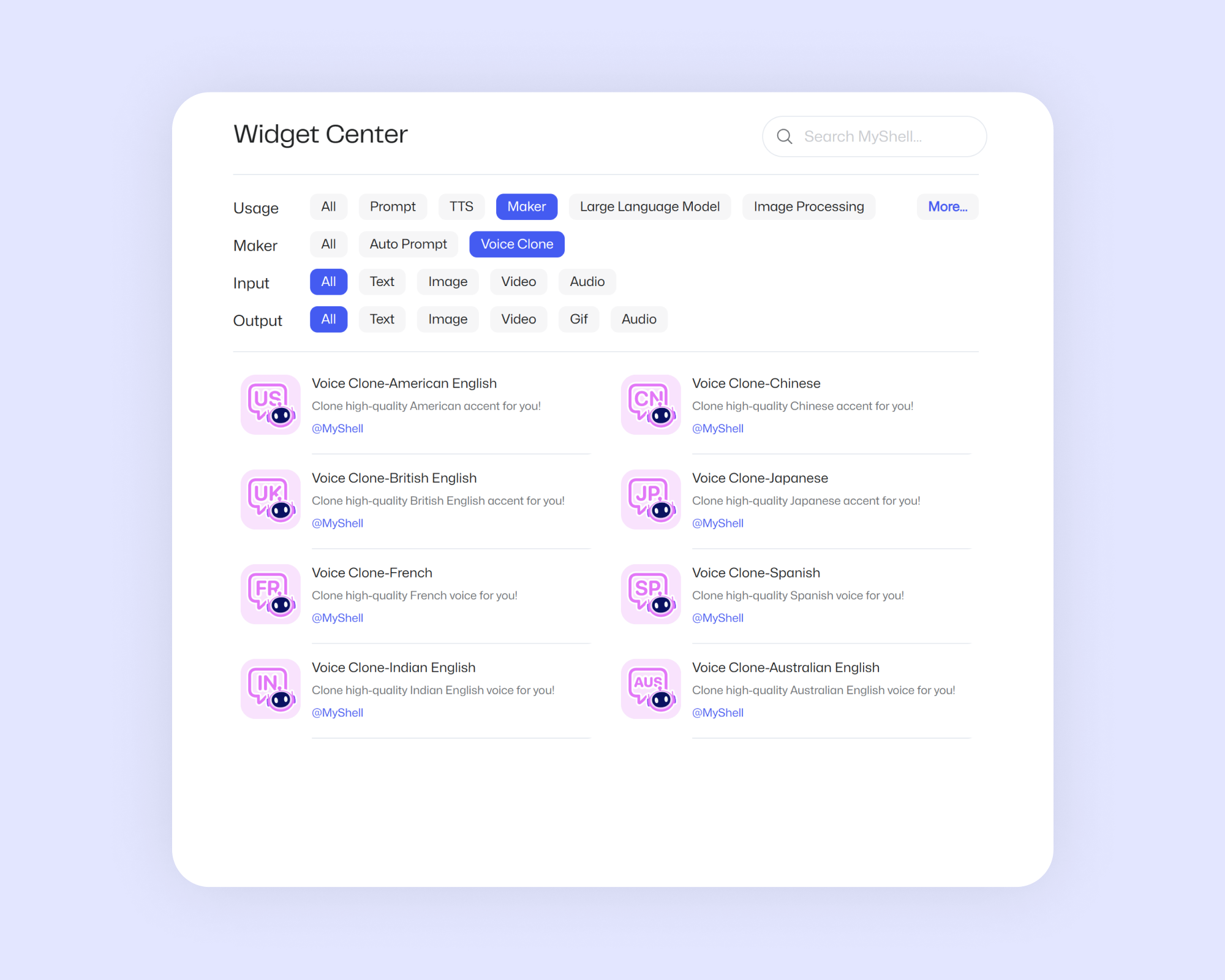
Step 1. Find Widgets
Go to Workshop, select Usage as Marker, and select Maker as Voice Clone to try it out.
Step 2. Prepare a voice material
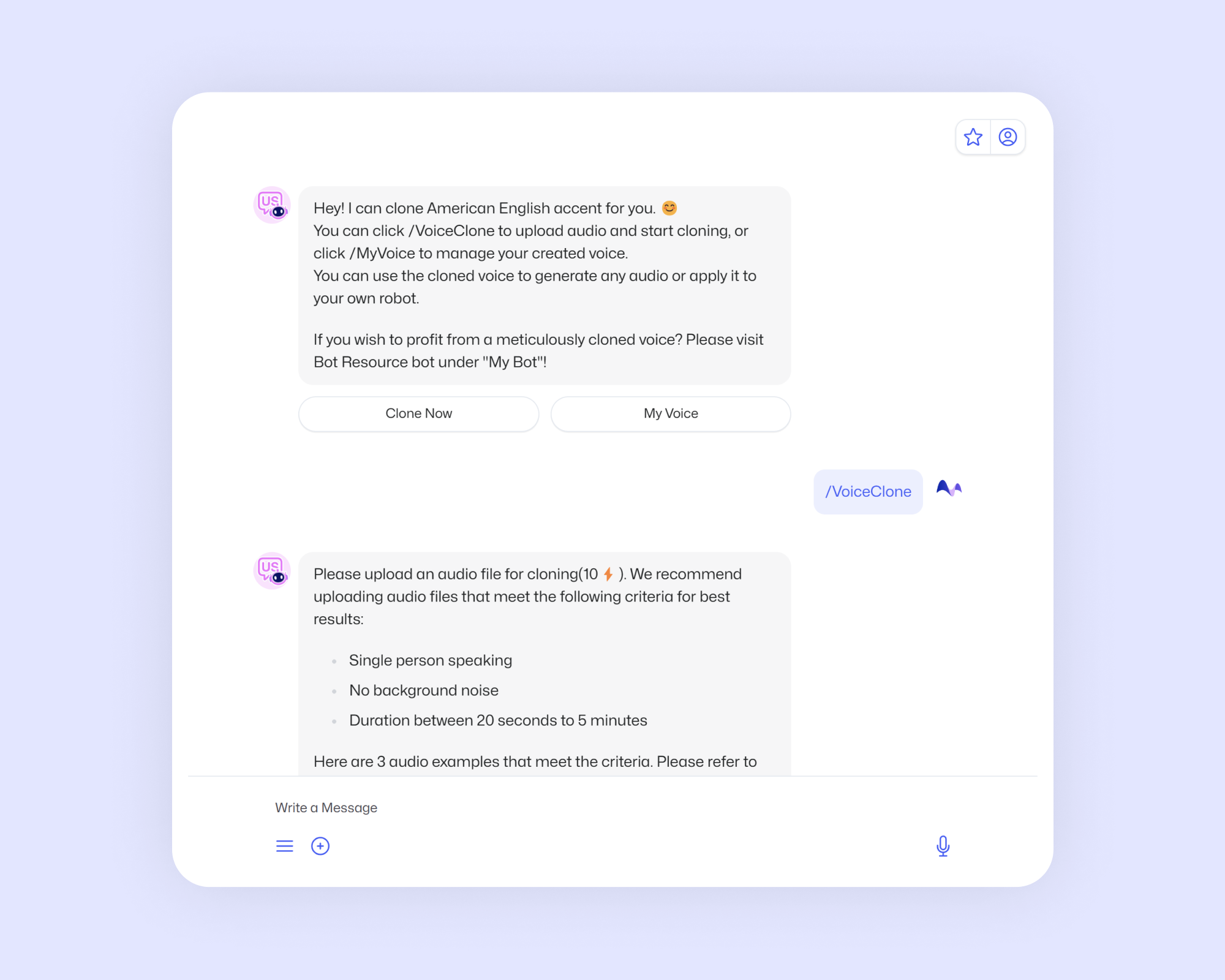
Please upload an audio file for cloning (10⚡️). We recommend uploading audio files that meet the following criteria for best results:
Single person speaking
No background noise
Duration between 20 seconds to 5 minutes
Step 3. Upload your material
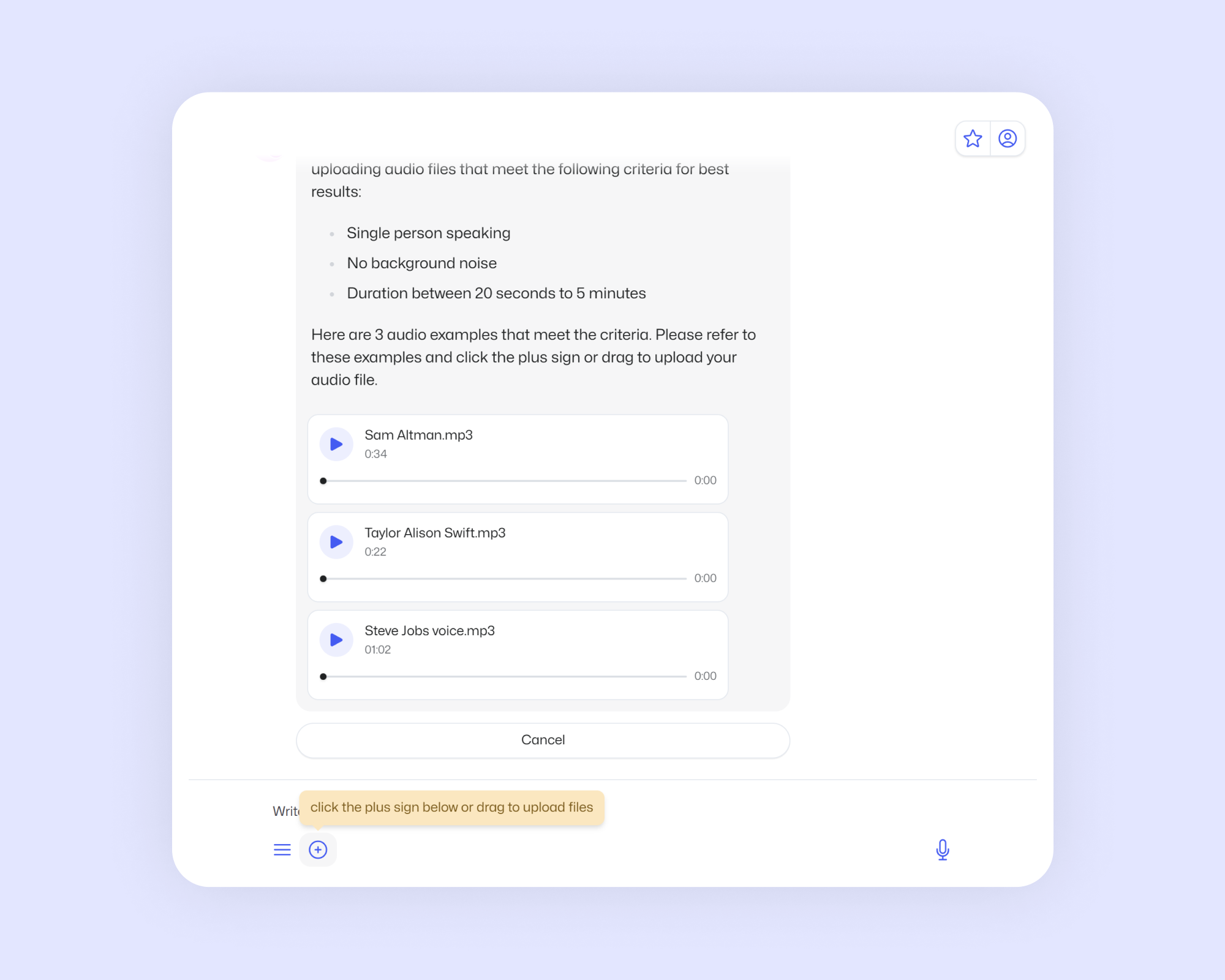
Click the plus sign to upload and test the quality of your TTS by entering any text. You can manage your generated TTS in My Voice.
Recommendation
More languages are coming soon, stay tuned! Let your imagination run wild and generate your own exclusive TTS.
Previous article
Tech Writing Editor: Elevate Your Technical Content